Stashio
Save everything. Find by meaning.Lưu hết. Tìm theo nghĩa.
Semantic search · share sheet · SpacesTìm semantic · share sheet · Spaces
Stashio exists because my Apple Notes had 2,400 links in it and I could never find one. Share something in; it reads it and files it. When you need it back, you search by what you remember, not by the exact words.Stashio ra đời vì Apple Notes của mình từng chứa 2.400 cái link mà chẳng bao giờ tìm lại được cái nào. Share vào, nó tự đọc, tự xếp. Lúc cần thì tìm theo cái mình nhớ, khỏi cần nhớ đúng chữ.
See it running
Xem app chạy
Official App Store screenshots. Scroll sideways for more.
Ảnh chính thức trên App Store. Vuốt ngang để xem thêm.


What people use it for
Người ta dùng nó làm gì
EverydayHằng ngày
VouchersVoucher
It reads the expiry date when you save one and reminds you before it lapses.Lưu vào là nó đọc luôn hạn dùng, gần hết hạn thì nhắc.
RestaurantsQuán ăn
A friend sends a place. Two months later you actually go, and the address and hours are already there.Bạn bè gửi cái quán. Hai tháng sau đi thật thì địa chỉ với giờ mở cửa nằm sẵn đó rồi.
RecipesCông thức
Recipes show their ingredient count right in the list.Công thức hiện số nguyên liệu ngay ngoài danh sách.
Watch laterXem sau
Reels disappear. Saved ones don't.Reel thì trôi. Lưu rồi thì không.
Things you might buyĐồ định mua
Wishlist keeps the item and its price until you decide.Wishlist giữ món đồ kèm giá, lúc nào mua thì mua.
TripsĐi chơi
Everything for one trip lands in one Space. The night before, ask it for the itinerary.Đồ cho một chuyến đi dồn về một Space. Tối trước hôm đi thì hỏi lại nó cái lịch trình.
WorkCông việc
API docsTài liệu API
atuan keeps documentation snippets in it. The kind of thing you need twice a year.atuan lưu mấy đoạn doc API trong này. Loại một năm cần đúng hai lần.
Long articlesBài dài
The summary tells you whether the piece deserves twenty minutes.Đọc tóm tắt trước, thấy đáng mới bỏ hai chục phút.
QA logsLog QA
ktuyen puts test screenshots and regression logs into Spaces before each release.ktuyen bỏ ảnh test với log hồi quy vào Space trước mỗi đợt release.
IdeasÝ tưởng
Mic button in the Library. Premium transcribes the recording.Nút mic ngay trong Library. Có Premium thì nó tự chép ra chữ.
MemoryTrí nhớ
2,400 links2.400 cái link
That was my Apple Notes before Stashio. Three months in, 94% of my lookups take under ten seconds.Apple Notes của mình hồi chưa có Stashio đó. Giờ 94% lần tìm là ra trong vòng mười giây.
Forgotten keywordsQuên từ khoá
“That thing about hydrostatic pressure in parking garages” finds the draft. The word hydrostatic was never in a tag.Gõ “cái vụ áp suất trong hầm xe” vẫn ra đúng bài, dù tag chưa từng có chữ đó.
ReceiptsHoá đơn
Photograph them. The text inside is searchable.Chụp lại. Chữ trong ảnh tìm được.
Old savesĐồ cũ
Rediscover brings older saves back up now and then.Thỉnh thoảng Rediscover lôi đồ cũ lên lại.
How to save your first thing
Lưu thứ đầu tiên thế nào
iPhone / iPadiPhone / iPad
- Open the thing: a Safari page, a photo, a PDF.Mở thứ cần lưu: trang web, ảnh, PDF.
- Tap Share.Bấm Share.
- Pick Stashio. First time it hides at the end of the app row: tap More and switch it on.Chọn Stashio. Lần đầu không thấy thì kéo tới cuối hàng, vào More bật lên.
- That's it. It sorts itself out.Vậy là xong. Còn lại nó tự lo.
AndroidAndroid
- Open the thing.Mở thứ cần lưu.
- Share → Stashio.Share → Stashio.
- Big PDFs finish importing in the background.PDF nặng thì nó nhập tiếp ở nền.
- Voice notes: the mic button at the top of the Library.Ghi âm thì bấm nút mic đầu trang Library.
Chrome on your computerChrome trên máy tính
- Install the extension from the Chrome Web Store.Cài extension từ Chrome Web Store.
- Pair once: on the phone, Settings → Linked devices → Scan QR, aim at the code in the popup. No email, no password.Ghép một lần: trên điện thoại vào Settings → Linked devices → Scan QR, quét cái mã trong popup. Không email, không mật khẩu.
- Or skip the camera and type the four-emoji code.Ngại quét thì nhập mã bốn emoji.
- From then on the toolbar icon saves the current page. One click.Từ đó click icon trên toolbar là lưu trang đang mở.
- Highlight text, right-click, Save to Stashio. Links and images too.Bôi đen đoạn nào hay thì chuột phải, Save to Stashio. Link với ảnh cũng vậy.
- Unlink is in the popup if you want out.Muốn gỡ thì nút Unlink nằm ngay trong popup.


Ways in
Các đường vào
- Share sheetShare sheetShare Extension on iOS, Share Target on Android. Links, posts, products, recipes, places: same door.iOS là Share Extension, Android là Share Target. Link, bài đăng, sản phẩm, công thức, địa điểm đi chung một cửa.
- Chrome extensionExtension ChromeOne click for the page, right-click for a highlight.Click là lưu trang, chuột phải là lưu đoạn bôi đen.
- CameraCameraShopfronts, posters, menus, receipts. You get fields, not a caption.Mặt tiền, poster, menu, hoá đơn. Ra dữ liệu từng trường, không phải một dòng mô tả.
- Photos and screenshotsẢnh và screenshotOCR. The text inside images is searchable.Có OCR. Chữ trong ảnh tìm được.
- Voice notesGhi âmRecord in the app or share a file in. Premium transcribes.Ghi trong app hoặc share file vào. Premium chép ra chữ.
- Files and PDFsFile và PDFText extracted on the device. On Android a foreground service keeps big imports alive.Trích text ngay trên máy. Bên Android có foreground service giữ cho file nặng nhập xong.
- Selected textĐoạn textShare just the paragraph.Share riêng đoạn cần.
- Nothing to fill inKhông phải điền gìIt never asks for tags or a folder. Share and go.Không bắt gắn tag, không hỏi lưu vào đâu. Share xong đi tiếp.
What the AI does with a save
AI xử lý bản lưu ra sao
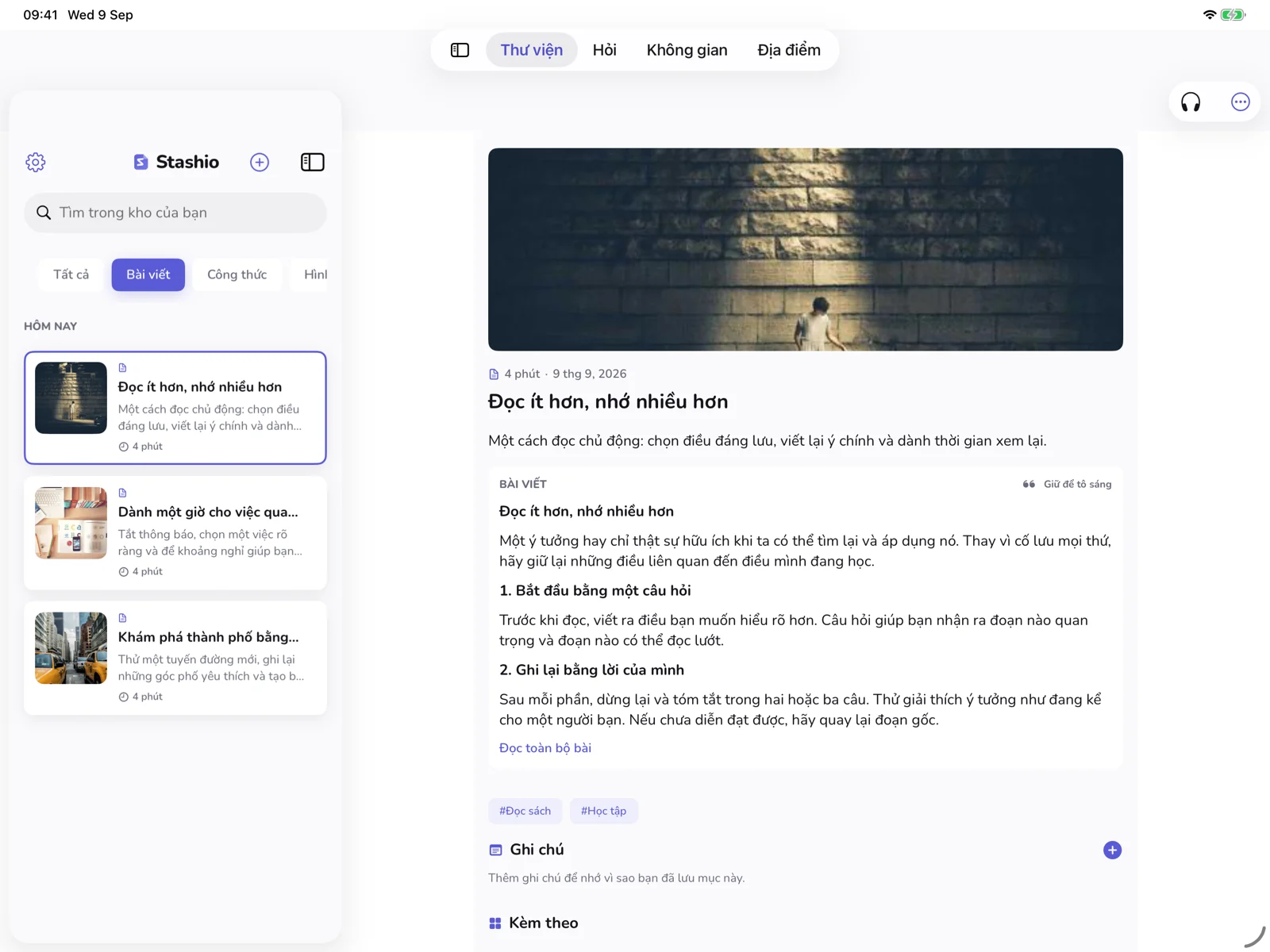
- Reading viewChế độ đọcThe article rebuilt clean. Source and read time kept.Bài được dựng lại cho sạch, giữ nguồn và thời gian đọc.
- SummaryTóm tắtA few sentences plus key points.Vài câu tóm tắt, thêm mấy ý chính.
- TagsTagGenerated from the content.Tự sinh từ nội dung.
- Type detectionNhận loạiArticle, recipe, product, place, video.Bài viết, công thức, sản phẩm, địa điểm, video.
- The right numberĐúng con sốRead time for articles, ingredients for recipes, price for products, open-now for places.Bài thì phút đọc, công thức thì nguyên liệu, đồ thì giá, quán thì đang mở hay đóng.
- Fields from photosTrường dữ liệu từ ảnhAddress, hours, phone, price, expiry dates.Địa chỉ, giờ, số điện thoại, giá, hạn dùng.
- StatusTrạng tháiA pill shows when each item is Ready.Mỗi mục có nhãn báo xử lý xong chưa.
Keeping it in order
Giữ cho ngăn nắp
- Smart SpacesSmart SpacesCollections that build themselves: Travel, Recipes, Design, Coffee Spots, Reading List, Wishlist. Each shows its count.Bộ sưu tập tự gom lại: Travel, Recipes, Design, Coffee Spots, Reading List, Wishlist. Cái nào cũng hiện số lượng.
- Manual SpacesSpace tự tạoThe + button is there when a project needs its own shelf.Dự án nào cần chỗ riêng thì bấm nút + mà tạo.
- One item, several SpacesMột mục, nhiều SpaceNo duplicate files underneath.File bên dưới không bị nhân đôi.
- Today firstHôm nay trướcThe Library opens on today's saves.Library mở ra là thấy đồ lưu hôm nay.
- FiltersBộ lọcAll, Articles, Recipes, Places, Videos.All, Articles, Recipes, Places, Videos.
- Stars and sharingSao và chia sẻFavourite things; share any save back out.Đánh sao được, share ngược ra ngoài được.
Getting it back
Tìm lại
- Search by meaningTìm theo nghĩaThe box says “Search your mind”. You type what you remember; it matches what you meant.Ô tìm kiếm đề “Search your mind”. Gõ cái mình nhớ, nó khớp cái mình muốn nói.
- Search by keywordTìm từ khoáTitles, tags, extracted text. Including text read out of images.Tiêu đề, tag, text đã trích. Tính cả chữ đọc từ ảnh.
- RediscoverRediscoverOld saves resurface on their own. Vouchers get a nudge before they expire.Đồ cũ tự nổi lên lại. Voucher được nhắc trước khi hết hạn.
- Related itemsMục liên quanEach item page suggests the saves near it.Trang nào cũng gợi ý mấy bản lưu cùng chủ đề.
- AskAskChat over the library. Answers cite the saves they used, so you can check.Chat trên cả thư viện. Trả lời có dẫn nguồn từng bản lưu, kiểm được.
- OfflineOfflineThe index lives on the device. No connection, still searchable.Chỉ mục nằm trên máy. Mất mạng vẫn tìm.
Privacy
Riêng tư
- No accountKhông tài khoảnSaving and searching work without signing in to anything.Lưu và tìm không cần đăng nhập gì hết.
- Local firstMáy mình trướcThe cache is always readable offline. Cloud is optional.Cache lúc nào cũng đọc được offline. Cloud là tuỳ chọn.
- Sync is encryptedSync có mã hoáWith sync on, the server stores encrypted blobs for the index, not readable content.Bật sync thì server giữ blob mã hoá cho phần chỉ mục, không phải nội dung đọc được.
- No ad ID, no trackingKhông ad ID, không trackingOn every tier, both platforms.Mọi gói, cả hai nền tảng.
- The extension's disclosurePhần khai báo của extensionOne data type: website content. Not sold, not reused for anything else.Đúng một loại dữ liệu: nội dung trang web. Không bán, không xài việc khác.
Under the hood
Bên dưới
On iOS the share extension runs in a lightweight process, drops the item into an app group container, and signals the main app to index it on next open. On Android it registers as a Share Target; big PDFs import under a foreground service so the system cannot kill the write halfway, and the metadata lands in a Room database.
Bên iOS, share extension chạy trong một process nhẹ, thả item vào app group container rồi báo app chính index ở lần mở sau. Bên Android nó đăng ký Share Target; PDF lớn nhập qua foreground service để hệ thống không kill được giữa chừng, metadata thì ghi vào Room database.
Semantic search works because embedding vectors are computed on the phone and indexed locally. Keywords cover titles, tags and extracted text; embeddings cover the day you remember the concept but not the vocabulary. The index is built on-device first and stays searchable offline, account or no account.
Tìm theo nghĩa chạy được là nhờ vector embedding tính ngay trên điện thoại và đánh chỉ mục cục bộ. Từ khoá lo tiêu đề, tag, text đã trích; embedding lo cái hôm nhớ khái niệm mà quên sạch từ. Chỉ mục dựng trên máy trước, offline vẫn tìm được, có tài khoản hay không cũng vậy.
Stashio is the one app in this studio that touches the cloud. Bookmarking does not need ten-millisecond latency, and what people actually pay for in a save-later tool is save on the phone, find on the laptop. So here the cloud is allowed in, under the same privacy rules as everything else we ship.
Stashio là app duy nhất trong studio đụng tới cloud. Lưu bookmark đâu cần độ trễ mười mili giây; thứ người ta trả tiền ở một app lưu-để-sau là cái gì lưu trên điện thoại thì mở laptop ra vẫn thấy. Nên ở đây cloud được cho vào, theo đúng luật riêng tư của mọi thứ khác studio ship.
Free and premium
Miễn phí và trả phí
Saving, reading, search: free, no account. Premium is the AI side: unlimited extraction, Ask, sync across devices, transcription, full Spaces and Rediscover. $1.99 a month, $9.99 a year with a 7-day trial, $29.99 lifetime.
Lưu, đọc, tìm: miễn phí, khỏi tài khoản. Premium là phần AI: trích xuất không giới hạn, Ask, sync đa thiết bị, chép lời, Spaces với Rediscover đầy đủ. $1.99 một tháng, $9.99 một năm có 7 ngày thử, $29.99 trọn đời.
The extension is just another way in. Everything lands in the same library on your phone.Extension chỉ là thêm một đường vào. Mọi thứ đổ về cùng một thư viện trên điện thoại.
Want a month on us?Muốn một tháng miễn phí?
Beat Signal Lock — match the waveform — and we hand you a promo code.Thắng Signal Lock — khớp dạng sóng — và nhận mã khuyến mãi.
Play Signal Lock →Chơi Signal Lock →